Panic button and incidents
SupervisorOwnerField operatorIntegral Administrator
From the field you can call for help instantly with the Panic button, or report something less urgent as an Incident. Both generate alerts for your supervisor.
Panic button
For an emergency, open the button (Open panic button) and press and hold for 3 seconds to trigger it. You'll see Keep holding… while you hold it and Sending alert… as it fires. When it's done, Alert sent appears with the message Notification sent to supervisors.
Panic needs GPS
The button needs your location so they know where you are. Depending on the GPS state you'll see:
- GPS required — enable location: turn GPS on and try again.
- GPS permission denied: grant the app the location permission.
- Location unavailable — enable it in system settings: check your device settings.
- Timed out fetching location: move to open sky and retry.
Reporting an incident
For something that isn't an emergency (damage, an anomaly, an observation), use Report incident:
- Tap Report incident.
- Choose the Incident type.
- Set the Severity.
- If it applies, pick the Lote (it's optional; you can leave No specific lote).
- Describe what you saw in Notes.
- Tap Send.
You'll see Incident reported once it's confirmed.
Works offline
If you're off the network, the report is saved and sends on its own when you're back online (Incident saved — will send when back online). Check its status in Sync.
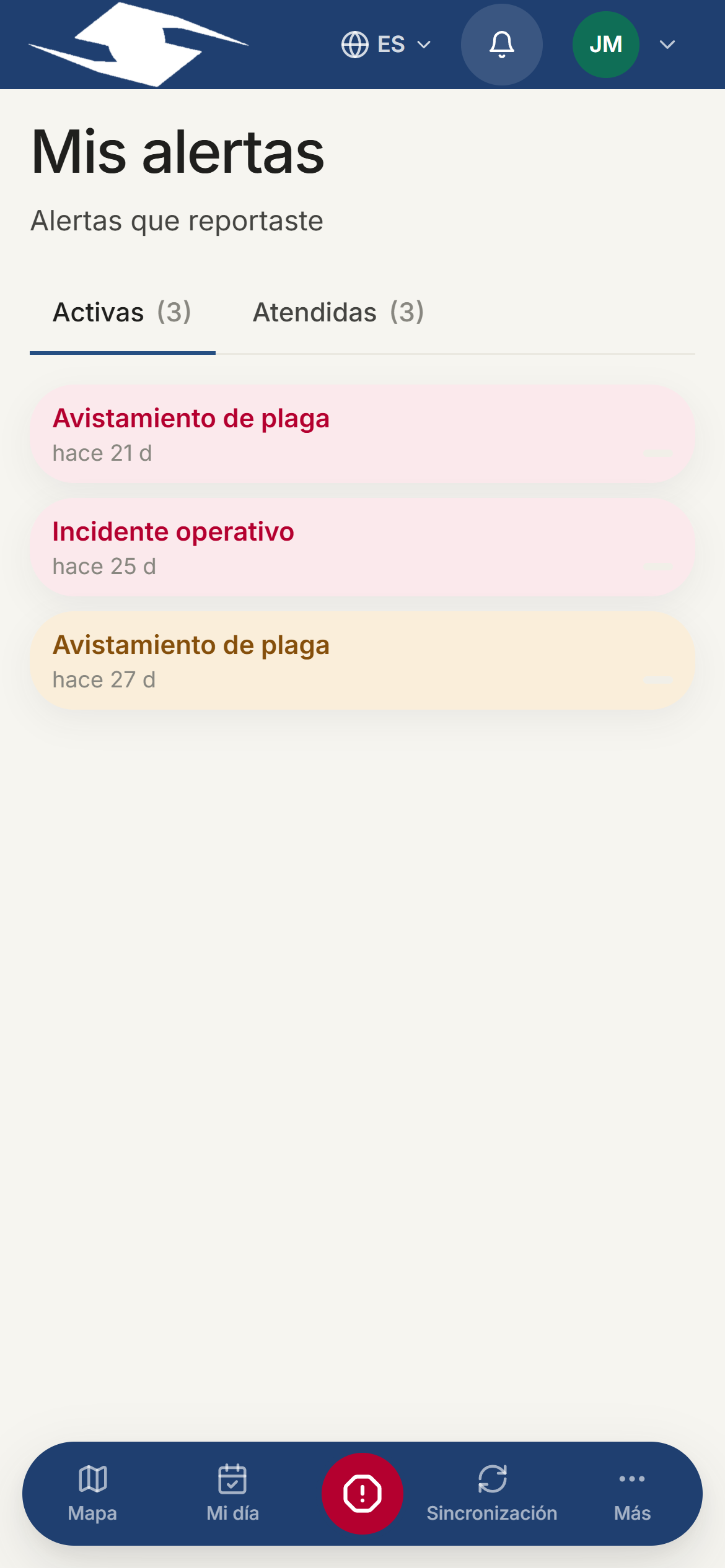
My alerts
In My alerts you see the alerts you reported, organized into two tabs:
- Active — those that still need attention.
- Attended — those a supervisor has already handled.