Alert rules
SupervisorOwnerField operatorIntegral Administrator
Alert rules automate alerts: you define the condition once and, when it's met, the system creates the alert and notifies the right people. They cover operational, climate, and security alerts.
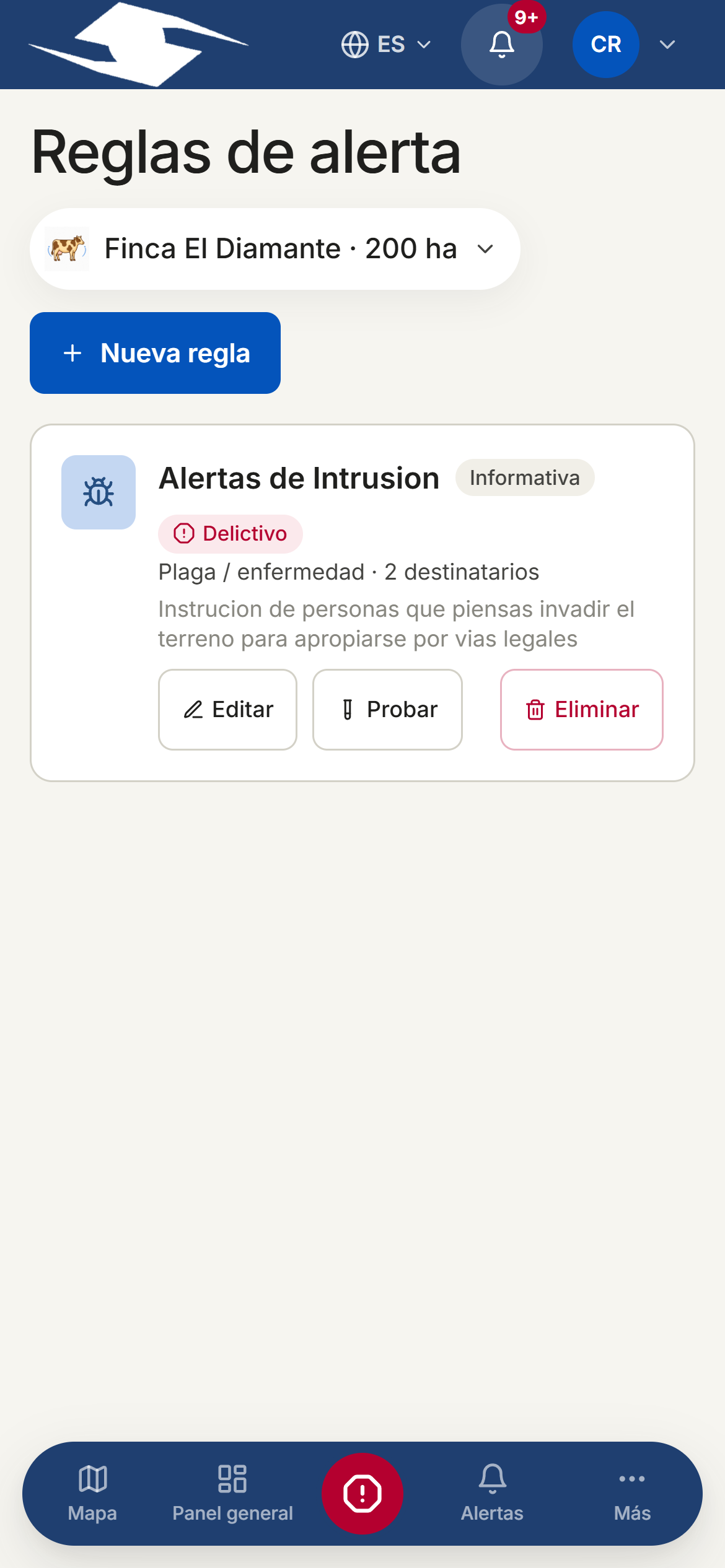
Creating a rule
- Tap New rule.
- Enter a Name and a Description.
- Choose the Trigger type (see below).
- Set the Severity —Info, Warning, or Critical— and the Classification (Criminal or Non-criminal).
- Leave Active rule on so it runs, or turn it off to pause it.
Trigger types and conditions
- Climate (manual) — set the Event type (Frost, Drought, Heavy rain) and the Scope (All plots or Specific plots).
- Pest / disease — set an Evidence threshold, a Window (days), and the Keywords that trigger the alert.
- Machinery — set the Inactive days threshold.
- Security — pick the Event type: Panic button, Geofence breach, or Unauthorized access.
- Operational — pick the Metric (Delayed activities or Consumption deviation), with its Threshold (%) and Window (days).
- Custom — for tailored cases.
Machinery rules
Automated machinery evaluation arrives once equipment telemetry is integrated. For now the rule is saved but does not fire.
Recipients and channels
Under Recipients, add who to notify and through which Channel: In-app, Web push, Email, or SMS. Each recipient has a Type:
- User — a person in the organization.
- External email / External phone — a contact outside the system.
- Emergency contacts — one of your per-category lists.
- Country emergency directory — official lines (Colombia, Ecuador, Mexico, International).
Official numbers don't receive SMS
Public emergency numbers (123, 911…) are voice lines that don't accept SMS. This option records the attempt in the audit log, but real contact requires a future dispatch-provider integration.
Testing the rule
Tap Test to see, without creating anything, what would happen right now: the Matches, the Would-be alert, and how many recipients it Would notify. If there are no matches or no recipients, the result will tell you.
Reporting a climate event
For climate rules, use Report event: tick the Affected plots (if you tick none, the rule's saved scope is used), add Notes, and confirm. The system creates the corresponding alerts.
Related
- Emergency contacts — set up the per-category lists rules use
- Alerts — the alerts these rules generate
- Notifications — how notices arrive in the app