My day
SupervisorOwnerField operatorIntegral Administrator
My day is the field operator's main screen. It gathers every activity assigned for today in a simple layout, built to be used from a phone out in the field.
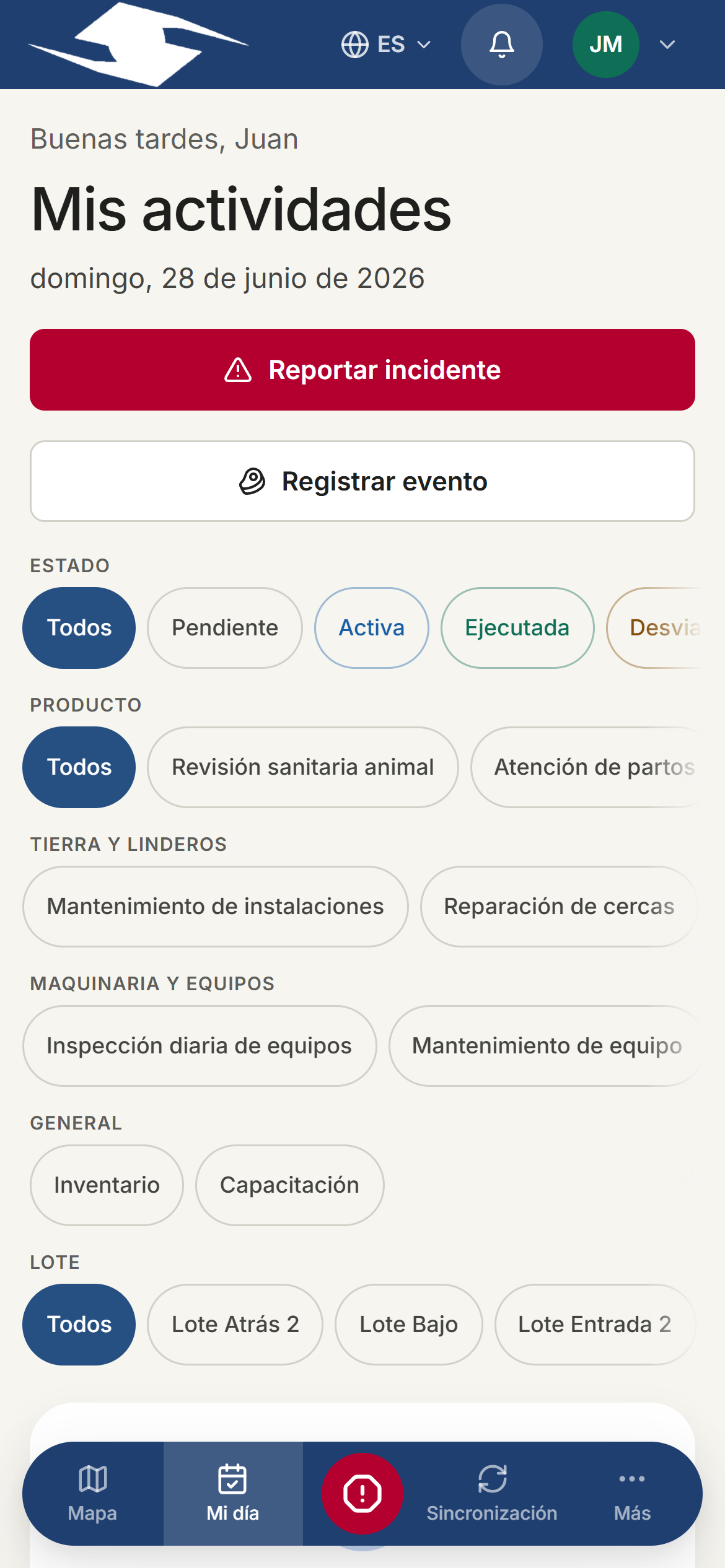
What the operator sees
A strip of counts at the top shows the day at a glance:
- In progress — activities already started.
- Done — activities already executed.
- Pending — activities not yet started.
Below it is the list of today's tasks. Each one opens so it can be run.
Filtering your tasks
If there are many activities, use the filters to focus:
- Status
- Type
- Lote
Tap Clear filters to see everything again.
When nothing is assigned
If the day is free, you'll see the Your day is clear message. From there you can:
- Tap View map to review the farm overview, or
- Log a task you're working on right now.
Creating a task on the fly
Sometimes the operator does something that wasn't scheduled. They can log it themselves:
- Tap New task (or Add activity).
- Choose the plot and the activity type.
- State where you are with it:
- I'm doing it now — if you're working on it right now.
- Already finished — if you've already completed it.
These tasks are marked Self-started, so the supervisor knows the operator created them.
Open an activity to run it
From My day, tap any activity to open it and work on it: start it, complete the checklist, register production or consumption, and attach evidence. See Running tasks.
In an emergency
If a dangerous situation arises, use the Panic button to alert supervisors immediately.
See also Evidence.